
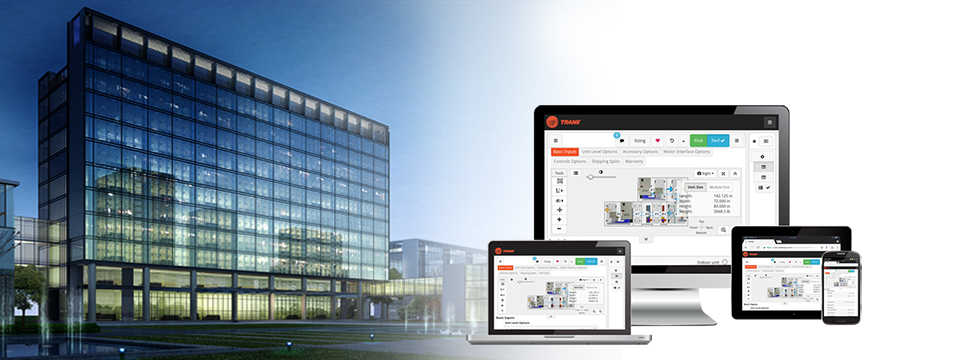
HVAC Design and Analysis Tools

Go beyond inputs and outputs with Trane® Design and Analysis Tools. Our portfolio delivers built-in engineering expertise, system comparisons, and client-ready results, empowering you to make better decisions, faster.

Overview

More than tools: A design advantage.

Discover a smarter way to evaluate thermal management systems. Get fast, clear insights into energy, cost, carbon and more to support every design decision with data, not guesswork.

  1. Trust Your Analysis

    Built on proven engineering logic and validated methods, our HVAC design and analysis tools deliver consistent, accurate outputs that you can count on in high-stakes design decisions.

  2. Adapt to Every Project

    From new construction to complex retrofits, our HVAC design and analysis tools help you model a wide range of systems, strategies, and climates all within intuitive workflows.

  3. Save Time Without Cutting Corners

    Get faster insights with smart defaults and preloaded data so that you can move from concept to decision sooner.

  4. Drive Better Outcomes

    Our design and analysis tools support every choice with clear metrics, helping you communicate value, reduce risk, and move projects forward with confidence.

Design and Analysis Tools Offerings

Our full portfolio of HVAC design and analysis tools empowers you to model and compare with ease. From load analysis to system selection, our tools deliver the speed, accuracy, and insight you need.

Design Tools

TRACE® 3D Plus

TRACE® 3D Plus is built on the U.S. Department of Energy's EnergyPlus® engine and enhanced with Trane's industry leading expertise to help designers validate and interpret projects with confidence and clarity. All of these new features plus a more robust support experience to get you up and running quickly.

Trane TRACE HVAC Design Software

Next-generation design and analysis software based on the U.S. Department of Energy's EnergyPlus® simulation engine.
Trane Pipe Designer streamlines your HVAC pipe design process

Trane® Pipe Designer

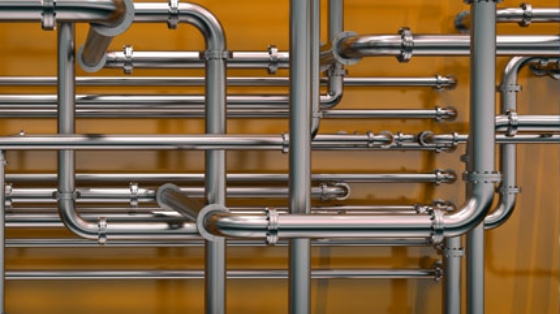
The Trane Pipe Designer streamlines the pipe design process. Use the program to determine required pipe sizes, find the critical path for proper pump sizing, and calculate pressure drops through valves/fittings or from elevation changes.
TAP.jpg

Trane® Acoustics Program

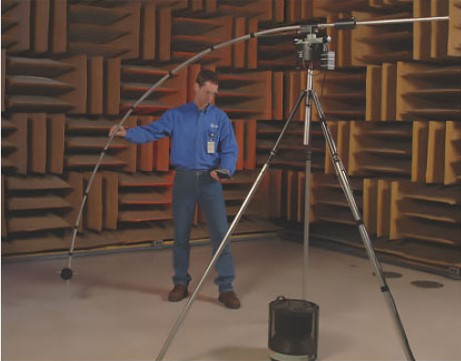
The Trane® Acoustical Program is updated to incorporate changes made by ASHRAE®, making it an excellent tool for predicting background sound levels from HVAC equipment. 

Trane Engineer’s Toolbox

The Trane® Engineer’s Toolbox provides nine calculation tools to help simplify HVAC design and service tasks.
VariTrane HVAC duct design software streamlines duct design and helps improve calculation precision

VariTrane Duct Designer

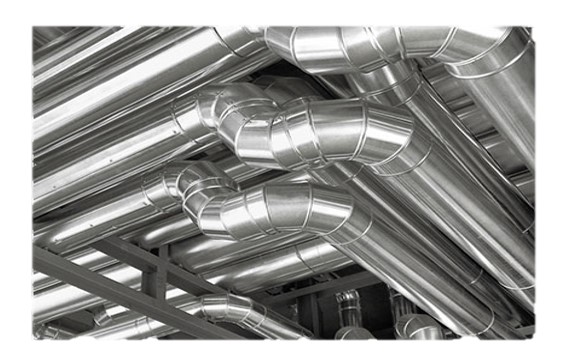
VariTrane Duct Designer streamlines duct design and helps improve calculation precision, letting you enhance your designs while obtaining a reduced pressure system.
Web_child imagemyPLV-page.jpg

Trane® myPLV®

Because every situation is unique, the myPLV® chiller performance evaluation tool offers a quick and simple option for chiller economic comparisons.

Trane® Design Assist™

Trane® Design Assist™: An intuitive tool for creating scalable, high-performing Building Automation System designs. Register for free and start designing today!

TRACE® 3D Plus Load Design

TRACE® 3D Plus Load Design is the next evolution of the globally used and trusted TRACE® 700 Load Design software. This 3D design platform makes accurately sizing your HVAC systems faster and easier at any desired level of fidelity. We've taken our 50 years of HVAC systems design and software simulation knowledge and combined it with the U.S. Department of Energy's state-of-the-art EnergyPlus® simulation engine. The result is a platform that makes right sizing HVAC systems intuitive and visually dynamic with an easy to understand workflow that's less error prone. Try the new TRACE 3D Plus platform today and get accurate sizing results in a fraction of the time.
Trane myCO2e refrigerant calculator can help you evaluate different refrigerant selections in chiller products

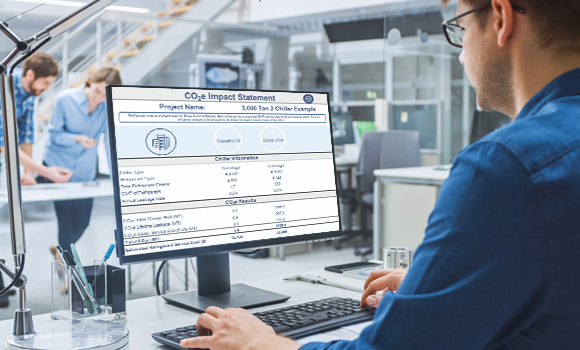
Trane® myCO2e™ Refrigerant Calculator

  • Flexible Equipment Selection
  • Cloud-Based Architecture
  • Easy File Sharing

Analysis Tools

System Analyzer

System Analyzer is a comparative analysis tool for preliminary evaluations of HVAC systems based on energy and economic performance.

Selection Tools

TOPSS04_960w.jpg

Trane® Select Assist™

  • Flexible Equipment Selection
  • Cloud-Based Architecture
  • Easy File Sharing

FAQs

Frequently asked questions about our design and analysis tools.

Discover a smarter way to evaluate thermal management systems. Get fast, clear insights into energy, cost, carbon and more to support every design decision with data, not guesswork.

Designing an HVAC (Heating, Ventilation, and Air Conditioning) system involves several steps:

  1. Assess the Building Requirements: Understand the building's purpose, occupancy, and specific needs. This includes considering the type of building (residential, commercial, industrial), the number of occupants, and any special requirements (e.g., server rooms, laboratories).
  2. Perform Load Calculations: Calculate the heating and cooling loads to determine the capacity required for the HVAC system. This involves considering factors such as building size, insulation, windows, occupancy, and local climate.
  3. Select Equipment: Choose the appropriate HVAC equipment (e.g., furnaces, air conditioners, heat pumps, boilers) based on the load calculations and building requirements. Make sure the equipment is energy-efficient and meets local codes and standards.
  4. Design the Ductwork and Distribution System: Plan the layout of ducts, vents, and registers for even distribution of air throughout the building. Consider factors like duct size, material, and insulation.
  5. Incorporate Ventilation: Account for proper ventilation to maintain indoor air quality. This may involve mechanical ventilation systems, such as exhaust fans and air exchangers.
  6. Control Systems: Design and integrate control systems (e.g., thermostats, sensors, building management systems) to regulate the HVAC system efficiently.
  7. Compliance and Standards: Make sure the design complies with local building codes, standards (e.g., ASHRAE®, ANSI), and regulations.
  8. Energy Efficiency: Incorporate energy-efficient practices and technologies, such as variable speed drives, energy recovery ventilators, and high-efficiency equipment.
  9. Documentation and Plans: Create detailed plans and documentation, including schematics, specifications, and installation instructions.
  10. Installation and Testing: Oversee the installation process and conduct thorough testing and commissioning to ensure the system operates as designed.

When designing an HVAC system, consider the following factors:

  1. Building Size and Layout: The size, shape, and layout of the building significantly impact the HVAC design.
  2. Occupancy and Usage: The number of occupants and the building's usage patterns influence the heating and cooling requirements.
  3. Local Climate: The local climate affects the heating and cooling loads. Consider seasonal variations and extreme weather conditions.
  4. Insulation and Building Envelope: The quality of insulation and the building envelope (walls, windows, doors) impact the system's efficiency and load calculations.
  5. Indoor Air Quality: Account for proper ventilation and air filtration to maintain good indoor air quality.
  6. Energy Efficiency: Design for energy efficiency to help reduce operating costs and environmental impact. Consider high-efficiency equipment and energy-saving technologies.
  7. Zoning: Implement zoning to control temperatures in different areas independently, improving comfort and efficiency.
  8. Noise Levels: Consider the noise levels of HVAC equipment and design to reduce noise impact on occupants.
  9. Maintenance and Accessibility: Design for ease of maintenance and accessibility to HVAC components.
  10. Compliance and Standards: Make sure the design meets local building codes, standards, and regulations.

Load calculation in HVAC is the process of determining the heating and cooling requirements of a building. It involves calculating the amount of heat that needs to be added or removed to maintain a comfortable indoor temperature. Load calculations are essential for selecting the appropriate size and capacity of HVAC equipment.

To calculate the HVAC heat load, follow these steps:

  1. Determine the Building's Dimensions: Measure the length, width, and height of each room or area.
  2. Calculate the Volume: Multiply the dimensions to find the volume of each room.
  3. Assess Insulation and Building Materials: Evaluate the insulation levels and materials used in walls, roofs, windows, and doors.
  4. Identify Heat Sources: Identify internal heat sources, such as occupants, appliances, lighting, and equipment.
  5. Consider Ventilation: Account for the heat gain or loss due to ventilation and infiltration.
  6. Calculate Heat Gains and LossesHeat Gain: Calculate the heat gain from external sources (solar radiation, outdoor temperature) and internal sources (occupants, appliances). Heat Loss: Calculate the heat loss through walls, windows, doors, and roofs.
  7. Use a Heat Load Calculation Formula: Use a standard formula or software, like TRACE(TM), to calculate the total heat load. The formula typically involves summing the heat gains and losses.

To calculate the cooling load, follow these steps:

  1. Determine the Building's Dimensions: Measure the length, width, and height of each room or area.
  2. Calculate the Volume: Multiply the dimensions to find the volume of each room.
  3. Assess Insulation and Building Materials: Evaluate the insulation levels and materials used in walls, roofs, windows, and doors.
  4. Identify Heat Sources: Identify internal heat sources, such as occupants, appliances, lighting, and equipment.
  5. Consider Ventilation: Account for the heat gain due to ventilation and infiltration.
  6. Calculate Sensible and Latent Heat GainsSensible Heat Gain: Calculate the heat gain from external sources (solar radiation, outdoor temperature) and internal sources (occupants, appliances). Latent Heat Gain: Calculate the heat gain from moisture sources (occupants, cooking, humidity).
  7. Use a Cooling Load Calculation Formula: Use a standard formula or software, like TRACE™, to calculate the total cooling load. The formula typically involves summing the sensible and latent heat gains.
  8. Adjust for Diversity and Safety Factors: Adjust the calculated load for diversity (variations in usage) and safety factors to ensure the system can handle peak loads.

For both heat load and cooling load calculations, it is recommended to use specialized HVAC design software, like TRACE™.

Systems Solution & Support

BIM and Selection Tools

Access the technical files you need to confidently design HVAC system projects with ease. Quickly download BIM-Revit or CAD drawings and detailed documents based on project needs. And coming soon, be on the look out for a new, user-friendly filtering tool for drawings and technical documents.

Connect with an expert.

Still not sure which solution is right for you? Connect with a Trane expert.

Prefer to chat with someone at your local Trane office?